

Every organizer runs the same loop all season: who's coming, how are sales, and what changed since I last looked? Last release rebuilt the tools behind your show. This one is about the answers, and about getting them without digging.
What's new at a glance
A full details page for every attendee: their tickets, orders, and checkout answers in one place
A dashboard that opens to live sales across all your upcoming events
Scheduled reports, so the numbers you check every morning can arrive by email instead
A full-page ticket editor with your attendee questions alongside each ticket
Cancel a ticket outright, for the duplicates and accidents that were never refunds
Pre-sale access codes, so your community can buy before the general public
Manual orders with the paperwork attached, plus reports for staff-created orders and comped tickets
Choose who covers the fees on each event: add them at checkout or absorb them into the price
An early-access finance section: income, expenses, vendors, and a P&L per event
A public organizer page URL you can finally make your own
The usual round of fixes, from calendar invites to refund statuses
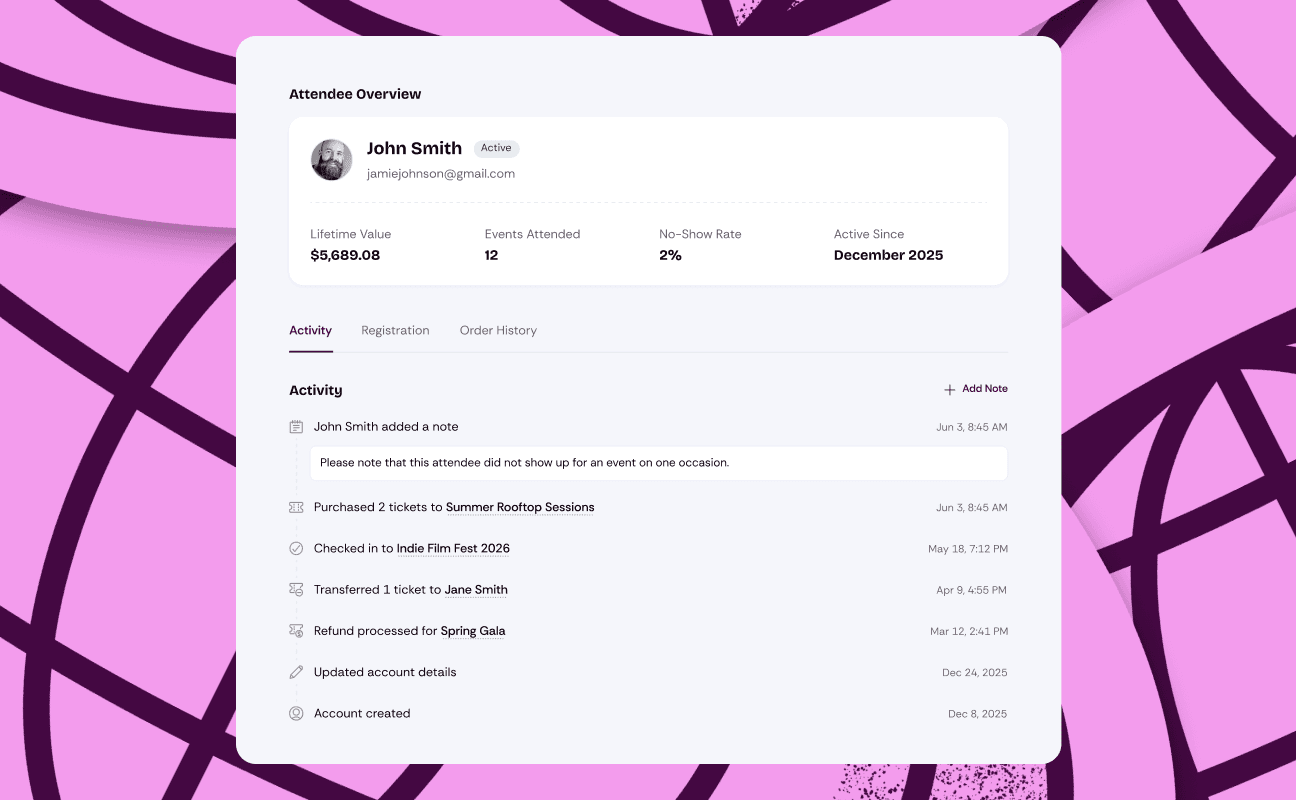
Every attendee, on one page
Click a name on your attendee list and you now get the whole picture: every ticket they hold, every order they've placed, their answers to your checkout questions, and a quick read on their history with your events. Before, that click got you a flyout with a few fields, and the rest meant hunting through orders.
The attendee lists themselves got a cleanup too. Your organization-wide list shows everyone across all your events, each event keeps its own scoped list, and both now lead to the same details page. When someone emails you the morning of the show, one search answers everything.
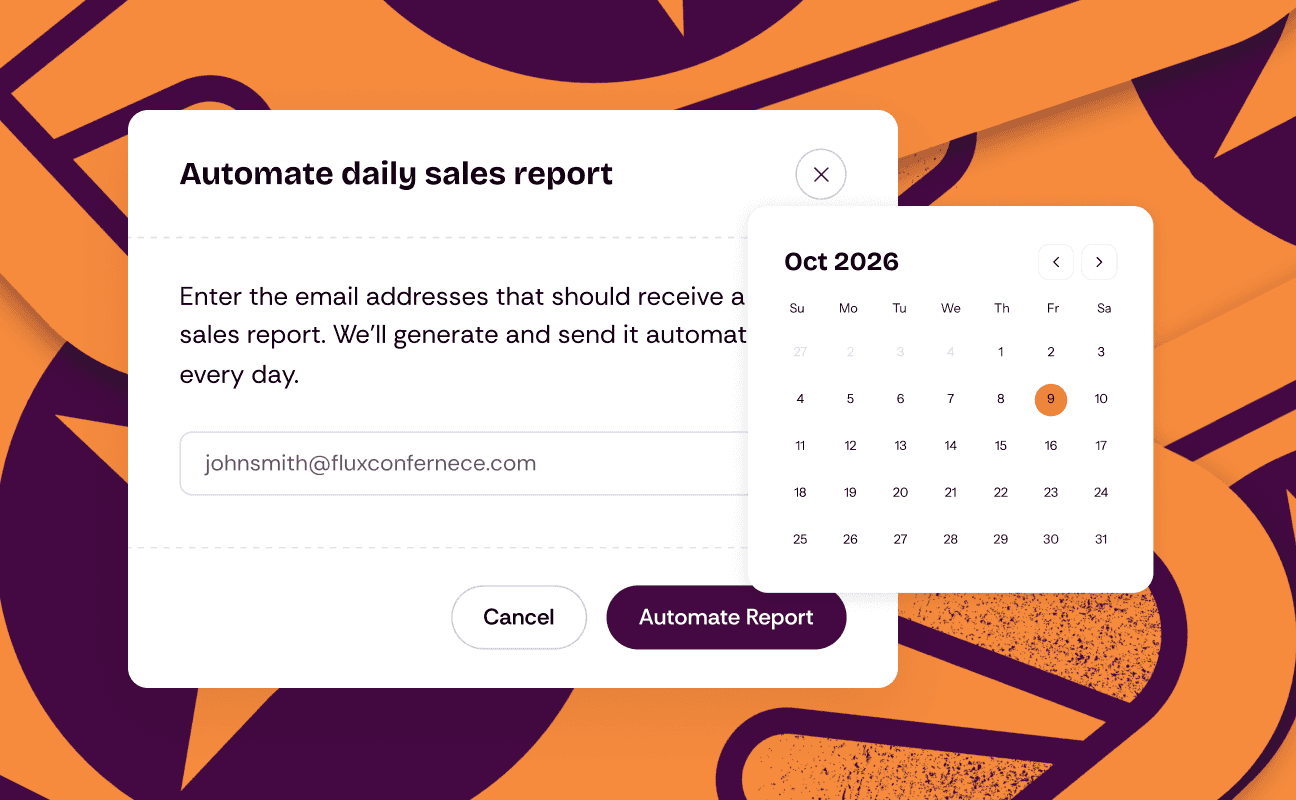
Reports that come to you
Any sales report can now be scheduled. Pick the frequency (daily, weekly, monthly, or quarterly), pick the fields you care about, and it arrives by email. The morning-after check you do by hand today can just be waiting in your inbox.
Reports are also easier to read on the spot: clicking one now opens a table right on the page, so you can scan the numbers before deciding whether you need the download at all.
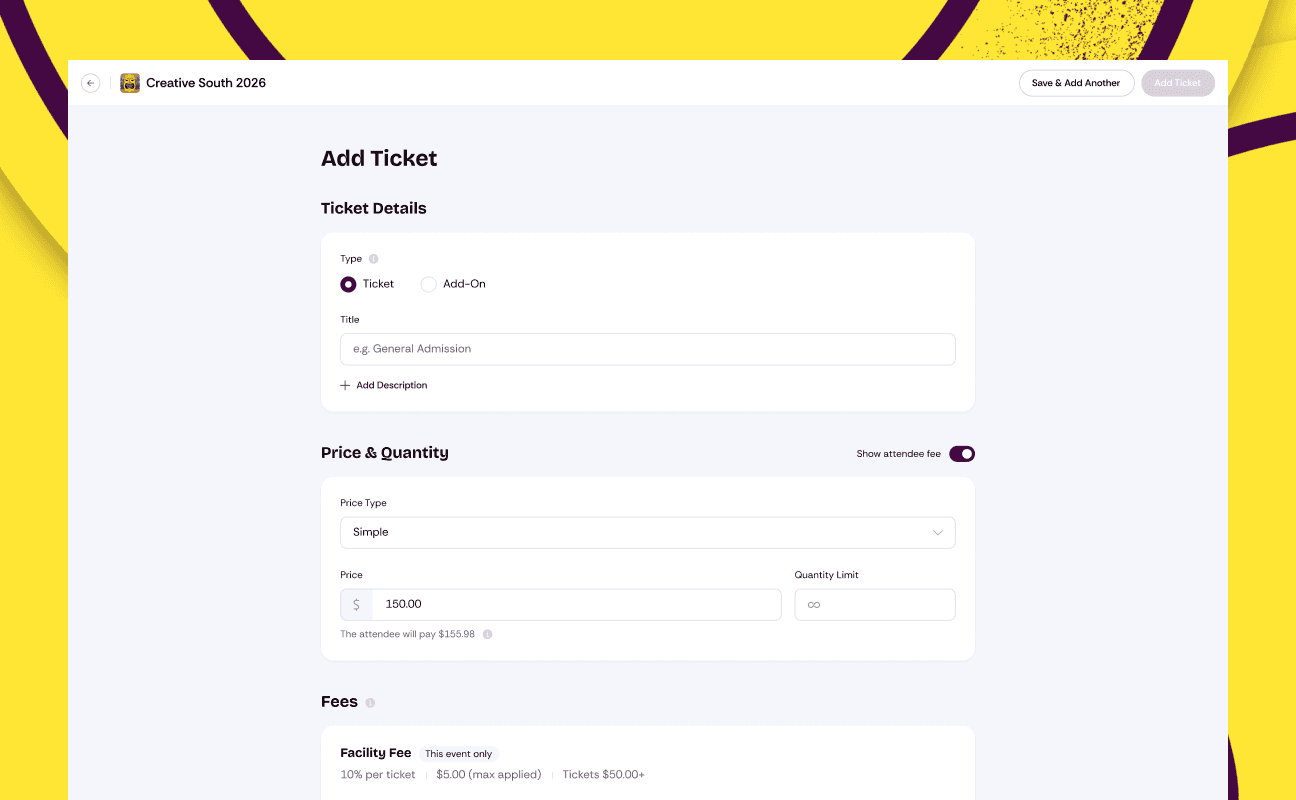
Ticket setup gets a full page
The ticket editor has moved out of its modal and onto a full page. Everything about a ticket sits in one place with room to breathe, including a new attendee questions section that shows which checkout questions ride along with each ticket and takes you straight to registration settings to change them.
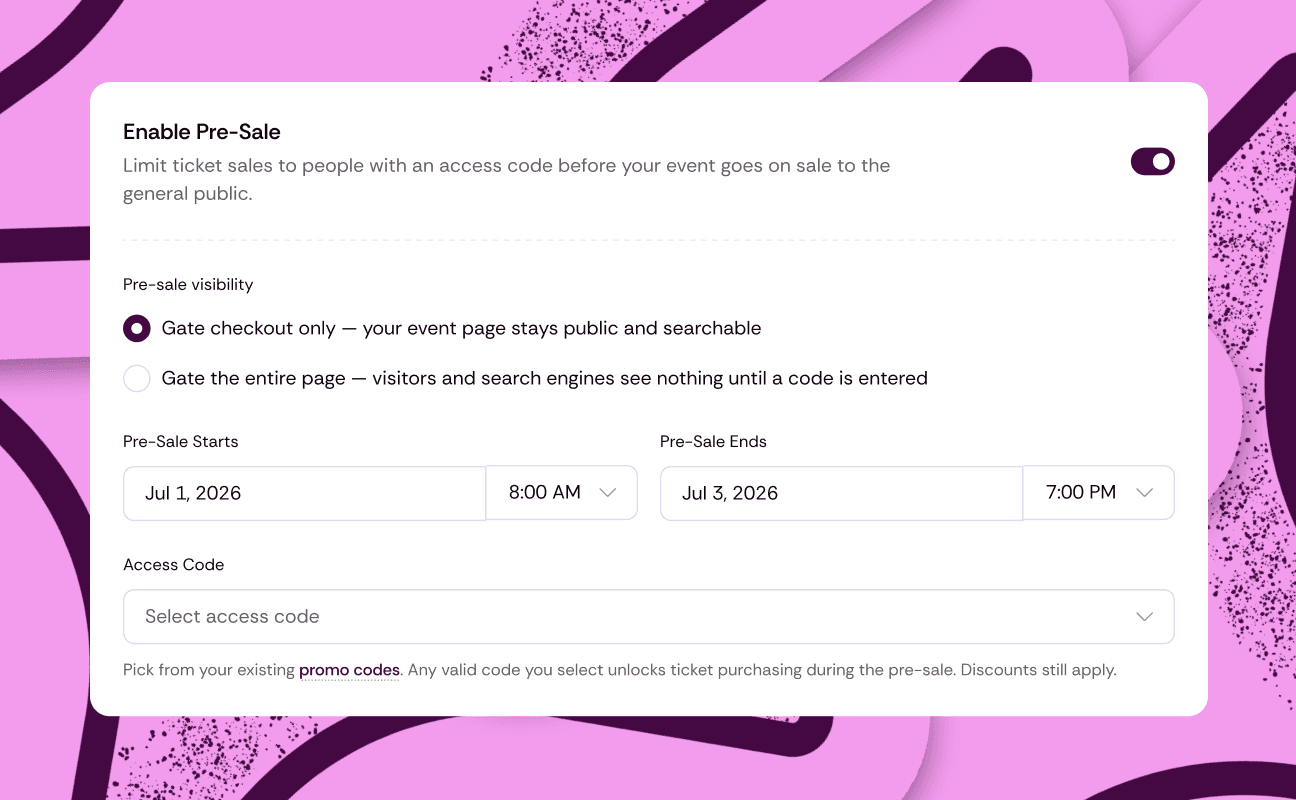
Unlock your pre-sale with access codes
Running a pre-sale? You can now gate ticket sales behind an access code. Turn it on in your event's registration settings, choose which of your promo codes unlock access, and anyone with the code can buy right on your event page before sales open to the public. The codes live alongside the promo codes you already manage, so there's no second list to babysit.
Manual orders, on the record
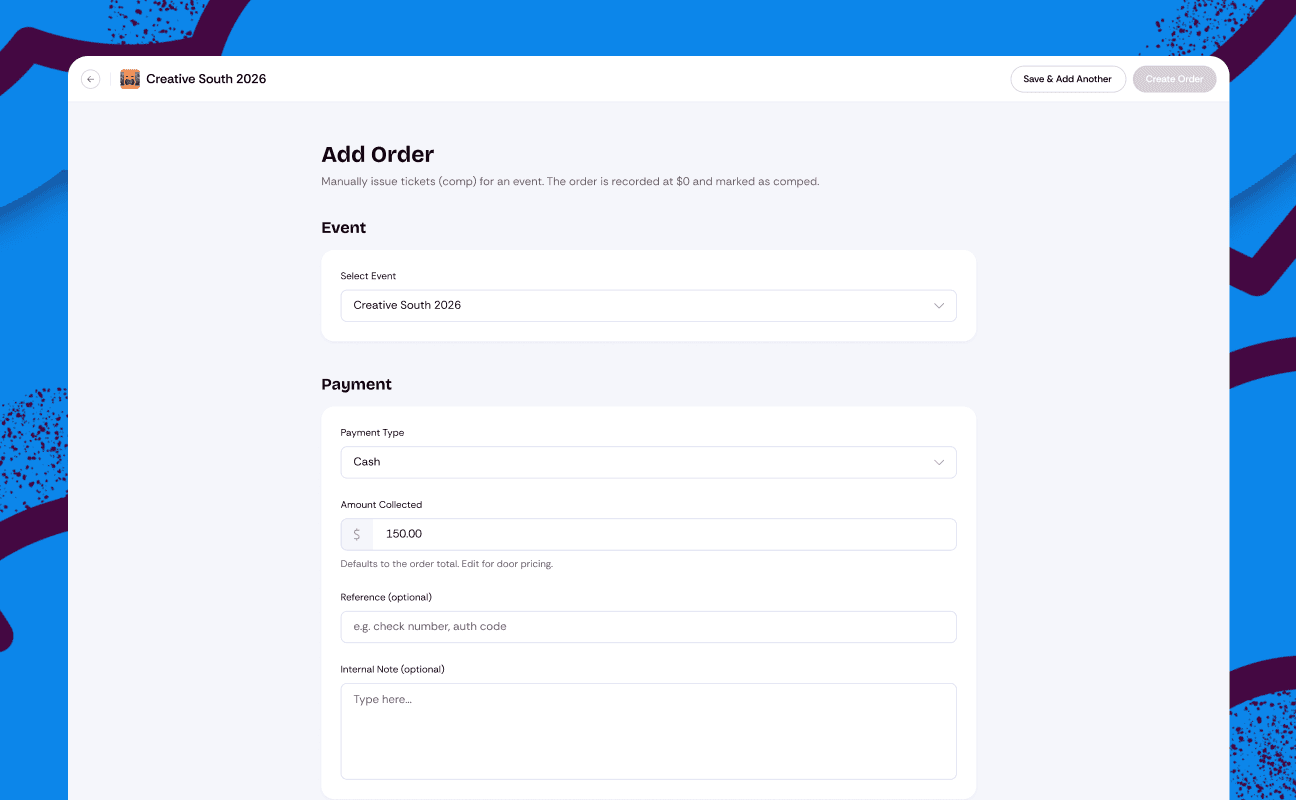
Orders your team creates by hand (at the door, over the phone, or as comped tickets) now carry their paperwork: the payment method, the amount collected, who created the order, and an internal note when the context matters. Two new reports round it out, one for staff-created orders and one for comped tickets, so nothing your team enters lives outside the books.
Cancel a ticket outright
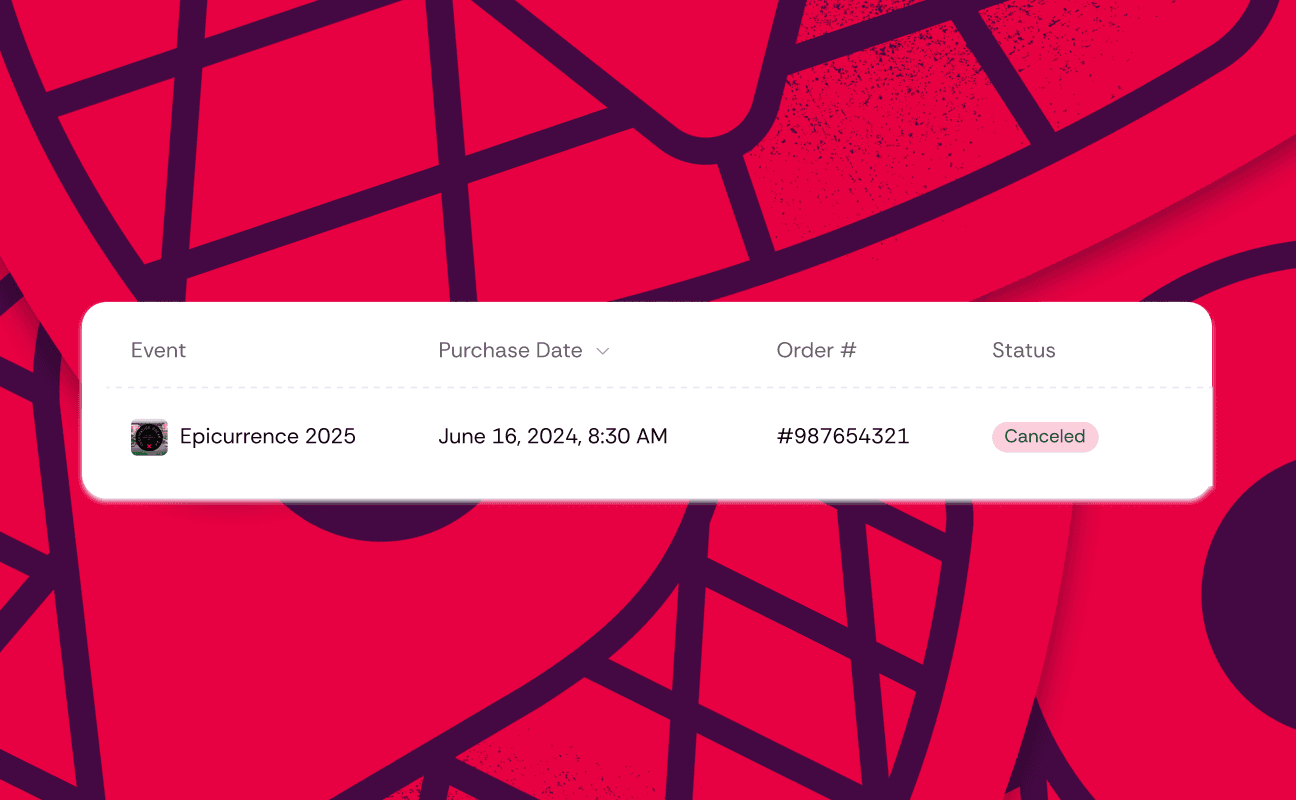
Sometimes the right answer is neither a refund nor a transfer. A duplicate registration, a comped ticket claimed by accident, a name that should never have been on the list. You can now cancel a ticket directly, which voids it and frees the spot, without pretending it was a refund or reassigning it to nobody.
And for tickets that should stay exactly where they are, you can now block transfers on individual tickets, so a comped ticket or a name-locked pass can't quietly change hands.
The whole financial story, in early access
Tickets are rarely a show's whole financial picture. A new finance section tracks the rest: income and expenses per event, sponsorships, a directory for the vendors you pay, and a profit and loss view that updates as entries land. It's in early access with a small group of organizers while we finish it, so if you'd like in, just ask.
Choose who covers the fees
Last time, we said fee absorption was in development. It's here. Every event now chooses how fees work: add them at checkout as one clear, disclosed line, or absorb them into the ticket price so the price on the poster is the price the buyer pays.
Our position on fees hasn't changed. One flat rate, published for everyone, no hidden service fees. What's new is that you decide how it shows up, event by event.
The season on one screen
The dashboard now opens to a live overview of everything you have on sale: each upcoming event with its tickets sold and revenue so far, plus totals across all of them. If you're running four shows a month, you no longer open four events to know how the month is going.
A web address that matches your name
Your public organizer page now has an editable URL. If your organization has grown out of the name you signed up with, your link can finally catch up: rename it once in your profile settings and share an address that matches your brand.
A few more things
Bought tickets as a guest, then made an account later? Once you confirm your email, your past orders find you.
New to Eventrise? Creating your account and your organization is now one step, and you land straight in the dashboard.
Event dates now show the start and the end when you've set both, on the page and in the sale window.
The stats on your event overview now explain themselves: hover any number for exactly what counts and what doesn't.
Seat maps now follow your team roles, so only the people who should edit a map can.
Calendar invites (the add-to-calendar files on confirmations and emails) now carry the correct event time.
Refund statuses stick: a refunded ticket shows as refunded, even after a refresh.
The pricing breakdown you see when setting a ticket price now shows the exact processing rate your buyers pay, not an approximation.
Plus cleaner avatars in your orders table, better table layouts on tablets, and a tidier tickets list.