Updates
Eventrise 3.0: Custom checkout questions, flexible pricing, and venue landing pages

Max Lind
Your attendees see the event page, the checkout, and the ticket in their wallet. You see everything else… the dashboard at midnight, the attendee list on show day, the payout report the morning after, the list goes on and on. While our last release was mostly about what your attendees see, this one is about you. Here's what's new for the people running the show…
What's new at a glance
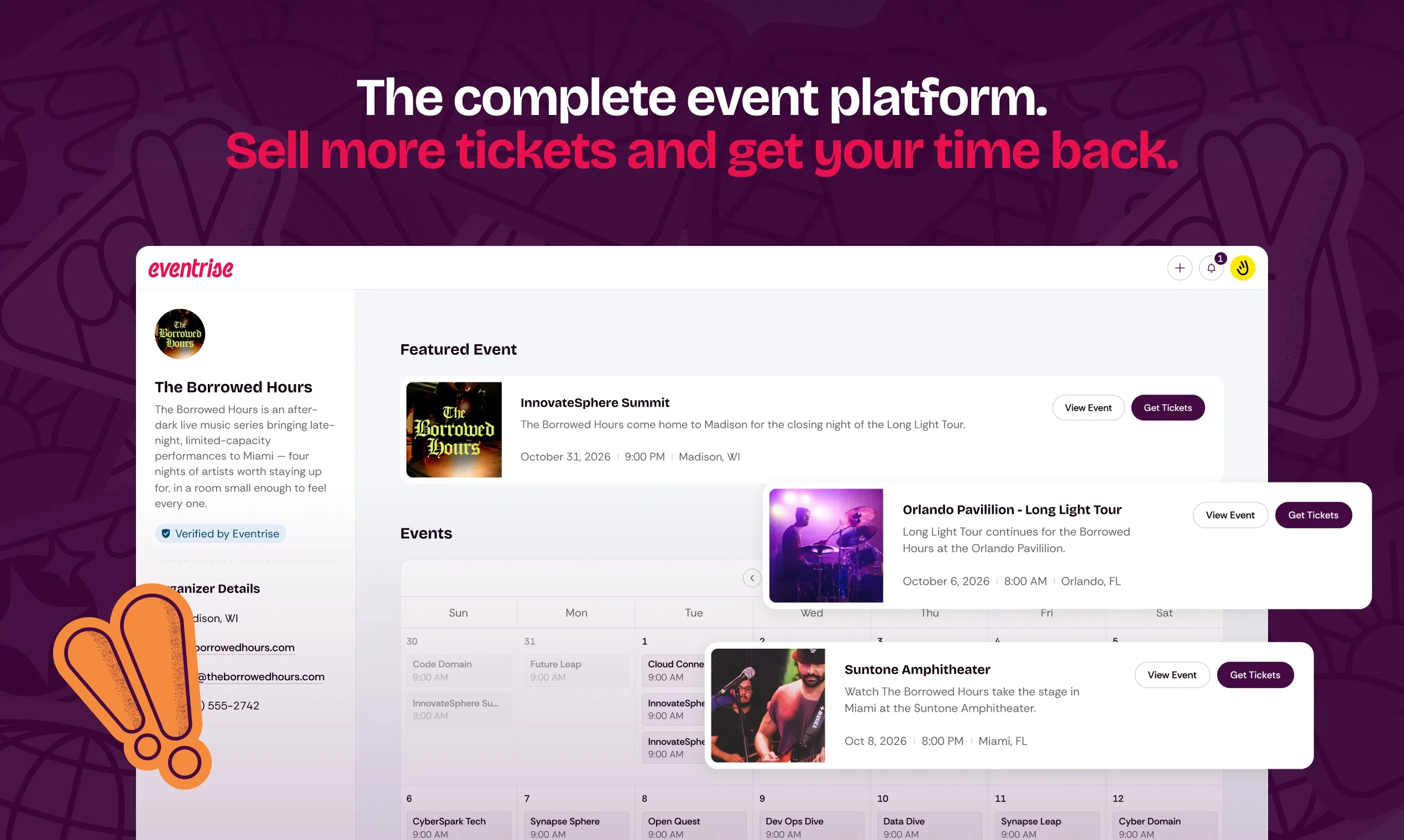
A redesigned organizer dashboard with venue-wide metrics, a proper events list, a calendar view, and upcoming events front and center
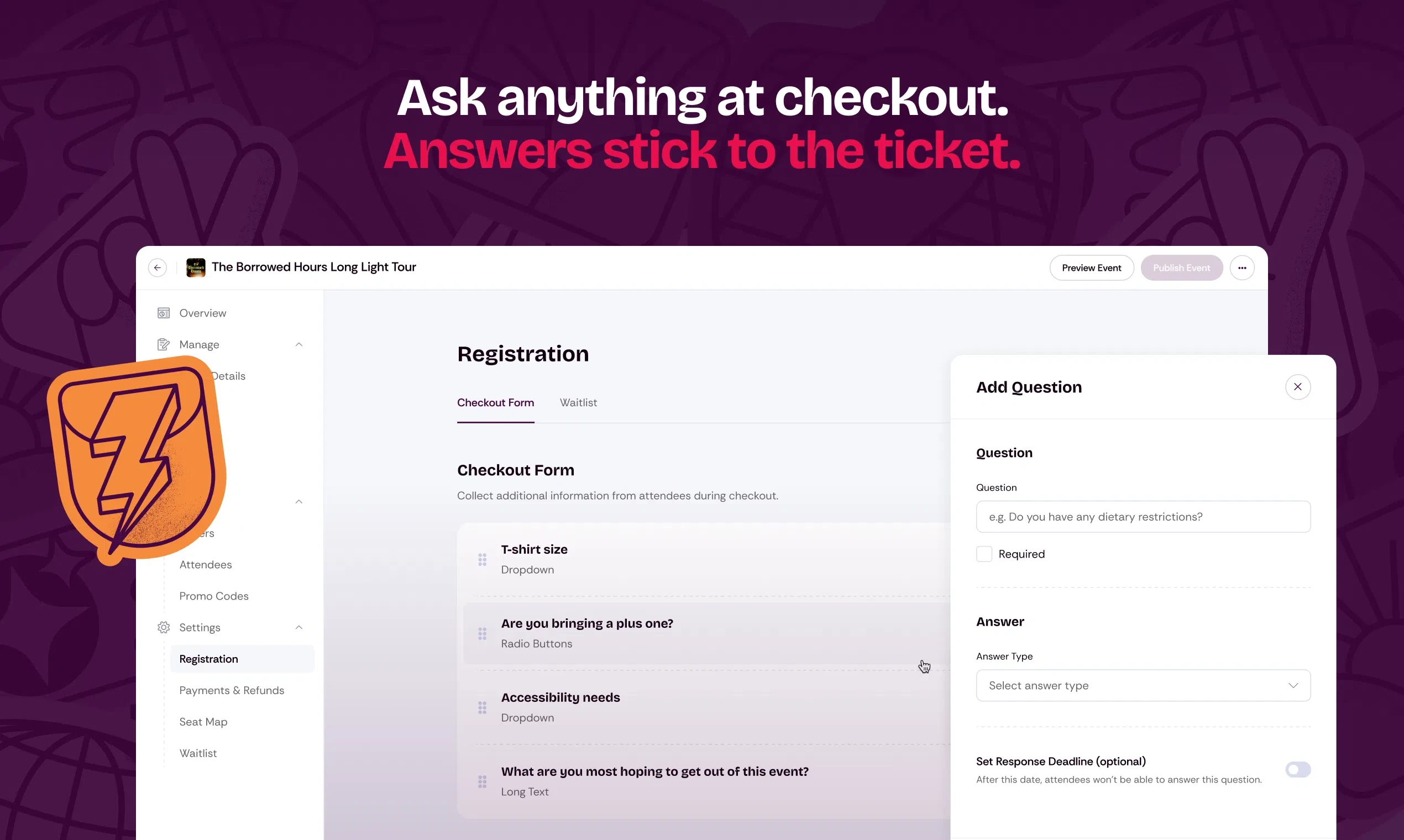
Custom checkout questions, asked once per order or per ticket, with answers flowing into your reports
A Zapier integration in early access, so registrations can flow into your other tools
Payout reports that show the exact platform fee on every order
Role-based dashboard access for your team
Ticket setup in two layers, tickets and add-ons, with five ways to price them
A public organizer page with both list and calendar views, plus featured events
An event editor that mirrors the public page, and a ticket banner you can write yourself
Interactive maps for multi-location events
A smoother reserved seating experience, with live seat map previews, per-seat details, and promo-aware pricing at checkout
A new home for your events
The dashboard now opens to what you actually care about… your upcoming events. Venue-wide numbers sit right at the top, total revenue, ticket sales, and orders across everything you're running, so you can read the health of the whole operation at a glance. Behind it sits a rebuilt events list and a calendar view, so a room running four shows a week can see the month the way a booking calendar does, not as an endless scroll. Less clicking around to find the show you're working on. More time on the show itself.
Set up tickets the way your events work
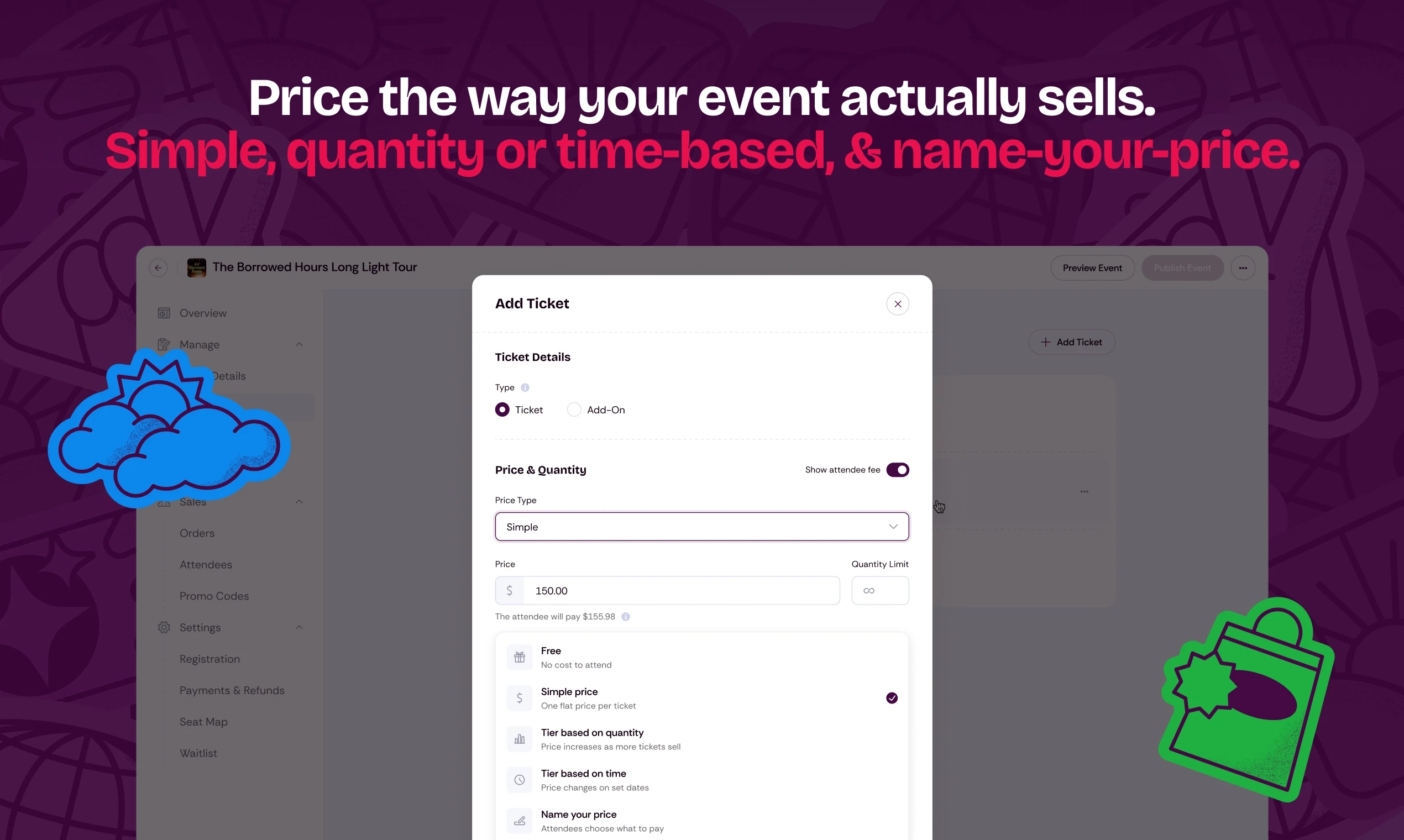
Ticket setup is now two simple layers. Tickets grant entry, and every event needs at least one before you can publish. Add-ons are the optional extras that ride along with an order, like a workshop, a meal, or the Friday night networking dinner.
From there, price each ticket the way the show actually sells. There are five ways to do it.
One flat price. The classic. One number from on-sale to doors.
A price that steps up as tickets sell. Set the quantity for each tier, and when it sells out the next price takes over. Early-bird pricing that runs itself.
A price that changes on dates you set. Advance pricing becomes day-of pricing on the date you choose, no calendar reminder required.
Name your price. Attendees choose what to pay. Made for fundraisers and pay-what-you-can nights.
Free. Still the full toolkit, still no charge.
Ask your own questions at checkout
Every event has that one thing you wish you'd asked before doors… well, now you can! Custom checkout questions let you collect what you need while buyers complete their order. Things like meal preferences, accessibility needs, t-shirt sizes, how they heard about the show, you name it. Ask a question once per order, or attach it to specific tickets so every guest answers for themselves. If someone buys two tickets and enters a different shirt size for each guest, each ticket keeps its own answer, and you can edit any single ticket's answers later without touching the others. Make questions required or optional, choose text or multiple choice, and every answer flows straight into your attendee reports.
Connect the tools you already use
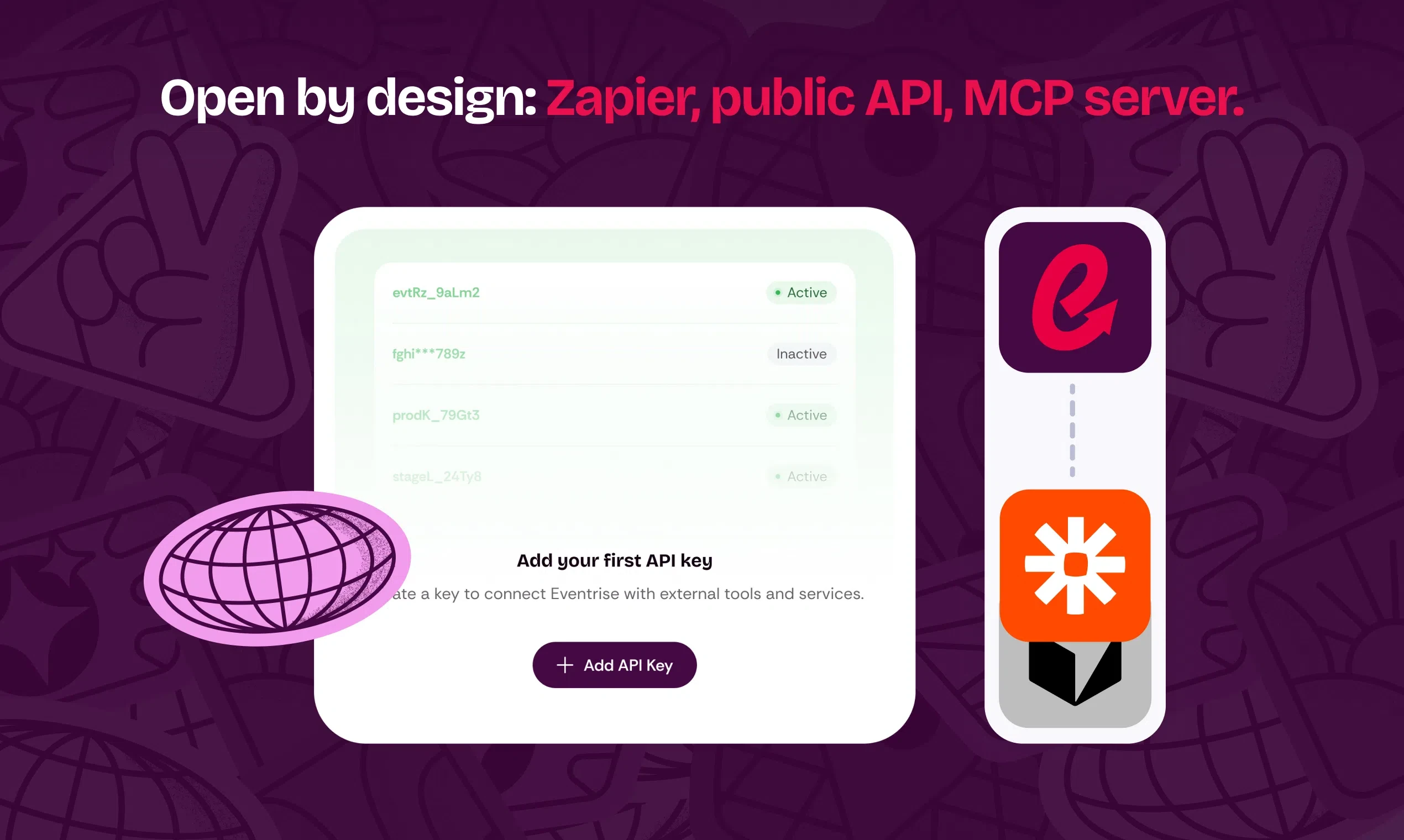
Our Zapier integration is now in early access, so a new registration can update your CRM, post to a Slack channel, or add a buyer to your email list, automatically. It works today, and we are adding organizers by hand while we finish the rollout, so just ask and we will get you connected. And if we do not connect to something you rely on directly, Zapier probably reaches it.
The right access for everyone on your team
Your door staff doesn't need your revenue reports, and your accountant doesn't need check-in. Dashboard data now follows each person's role, so everyone on your team sees what their job needs and nothing they shouldn't.
Know exactly what you paid
Our position on fees hasn't changed. One flat rate (always publicly available) and no additional service fees. Now your payout reports back that up with the exact platform fee you paid on every order. Not an estimate, the actual number. You shouldn't need a spreadsheet and a calculator to know what your ticketing costs.
Event pages, inside and out
The event editor now mirrors the page your attendees see, so what you build is what they get. No more publishing and then reloading the public page to find out how a change actually landed.
You can write your own ticket banner too. The title and the button are both yours, so "Starting at $25" can become "Register now" when that reads better for your event. Events with multiple locations get a proper interactive map, with markers, hover details, and one-tap directions. And the venue name on every event page now links to the venue's own site. While we were in there, we tightened up the language across event pages. It's your lineup and your schedule now, whether you're booking bands or booking speakers.
One page for everything you are running
Every event you have on sale, on a single public page. Attendees get both a list and a calendar view of what is coming up, so someone who follows your room can take in the whole month at once instead of hunting one show at a time. Mark an event as featured and it pins to the top, which helps when there is one night you really need to fill.
A few more things
A redesigned Order details page, far easier to scan when you need to find one detail fast.
Picking reserved seats now shows a live seat map preview during checkout, and each seat pops up its own details, so buyers know exactly what they're getting.
Promo codes now work hand in hand with seat maps, with the discounted price shown right on the seats.
Assigning tickets to attendees is smoother, and guest checkout picked up another round of polish.
Seat map thumbnails stay current when you edit a map.
Faster search across attendees and orders, including names with accented characters.
Over 30 fixes and improvements across checkout, promo codes, reporting, and mobile… smoother card authentication, better autofill handling, and cleaner flows for events without add-ons.
What's next
Organizer fee absorption is in development, so you'll be able to choose whether the platform fee is added at checkout or absorbed into your ticket price. Native email campaigns are on the roadmap after that.
Behind every event is a human. Releases like this one are for the humans nobody in the crowd ever sees. The ones with the spreadsheet, the radio, and the door list. If that's you, we'd love to show you around.
