This one is mostly about the moment someone decides to buy. More ways to pay, a cleaner payment form, and a checkout that holds up when the signal doesn't. There's also a new home for every event page, invoices for the money that never touches a ticket page, and a lot of work you'll never see but will probably feel. Here's what's new.
What's new at a glance
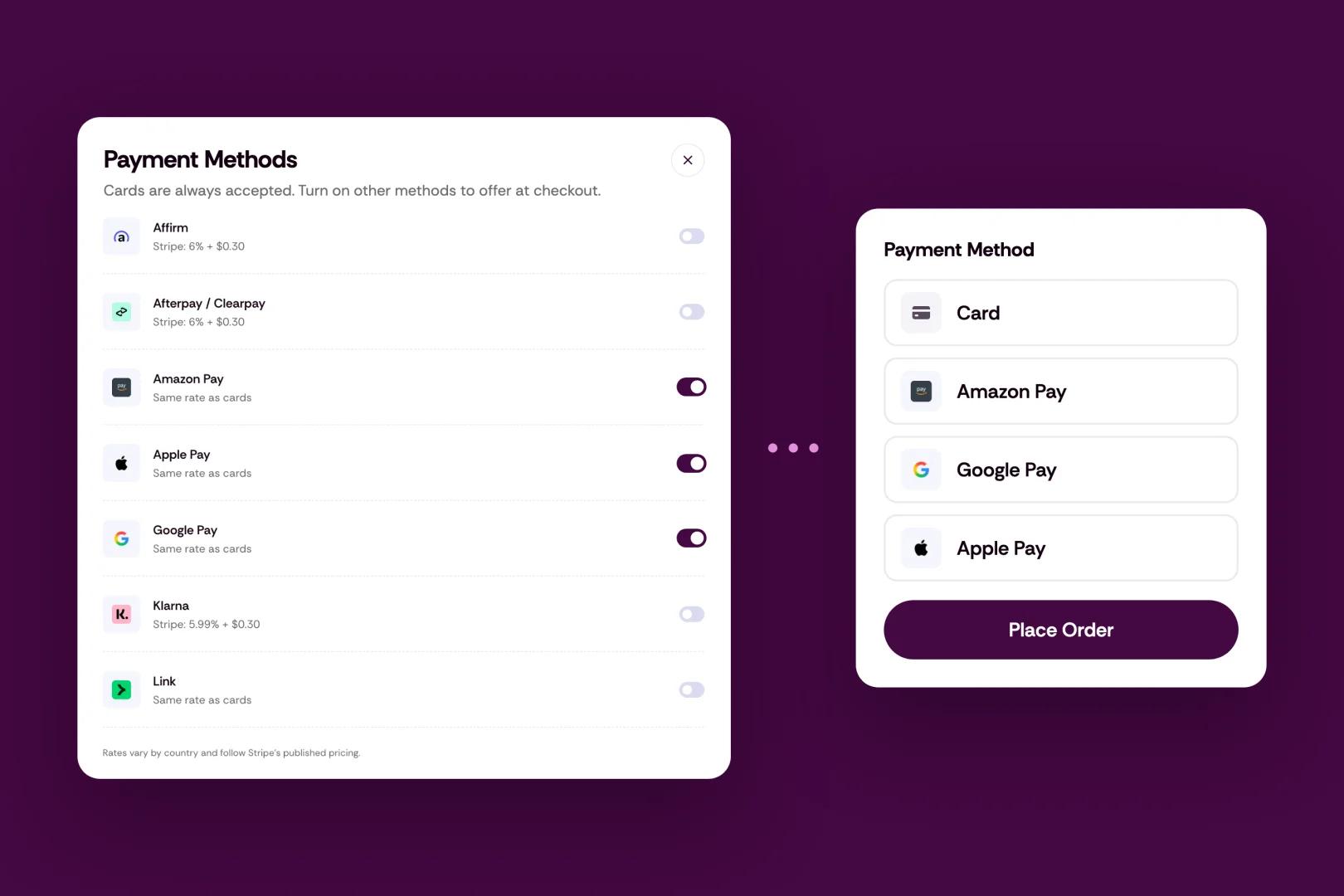
Apple Pay, Google Pay, Amazon Pay, Link, Klarna, Affirm and Afterpay at checkout, once you turn them on
A cleaner payment form, with every way to pay on its own row
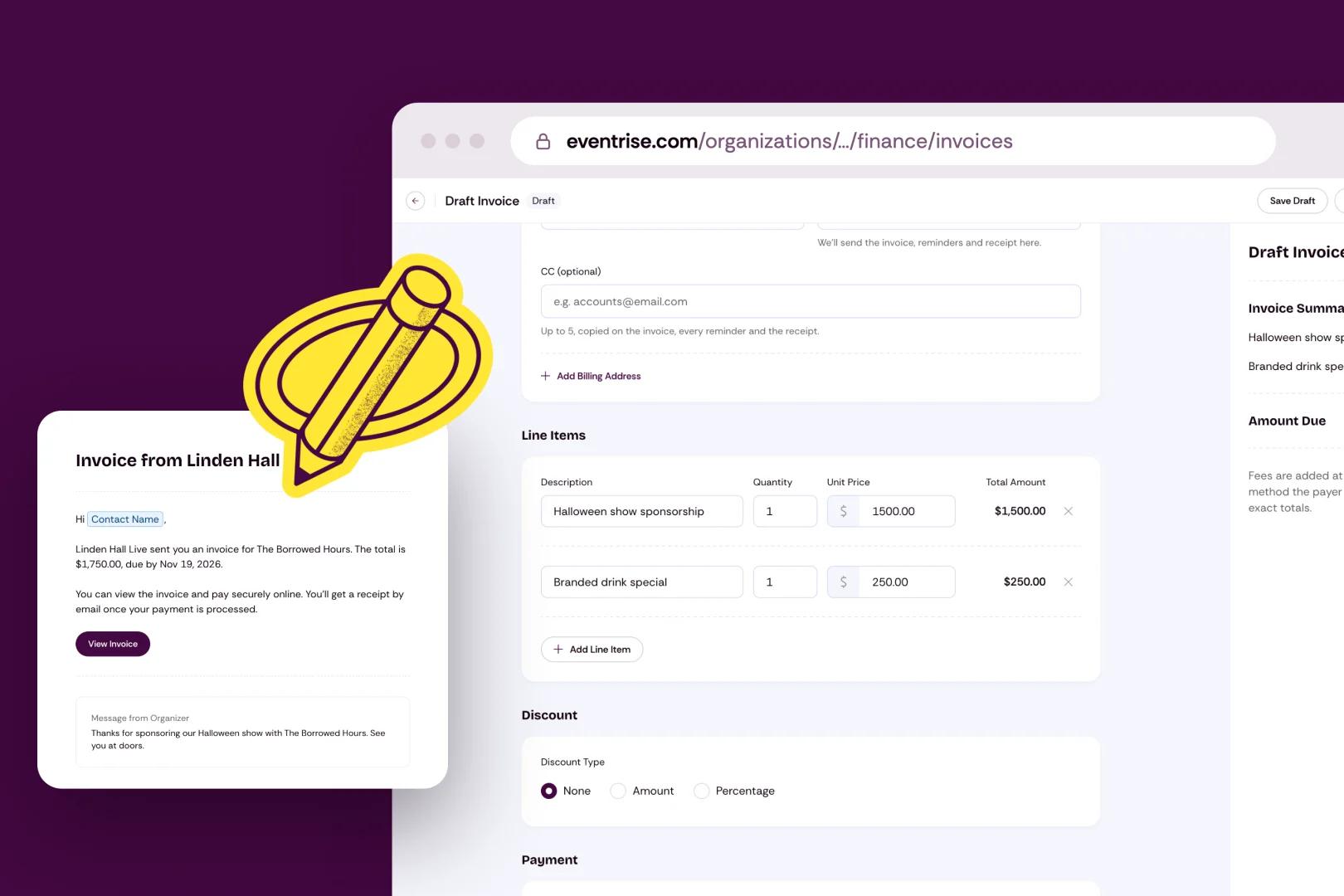
Invoices for every organizer, with bank (ACH) payments
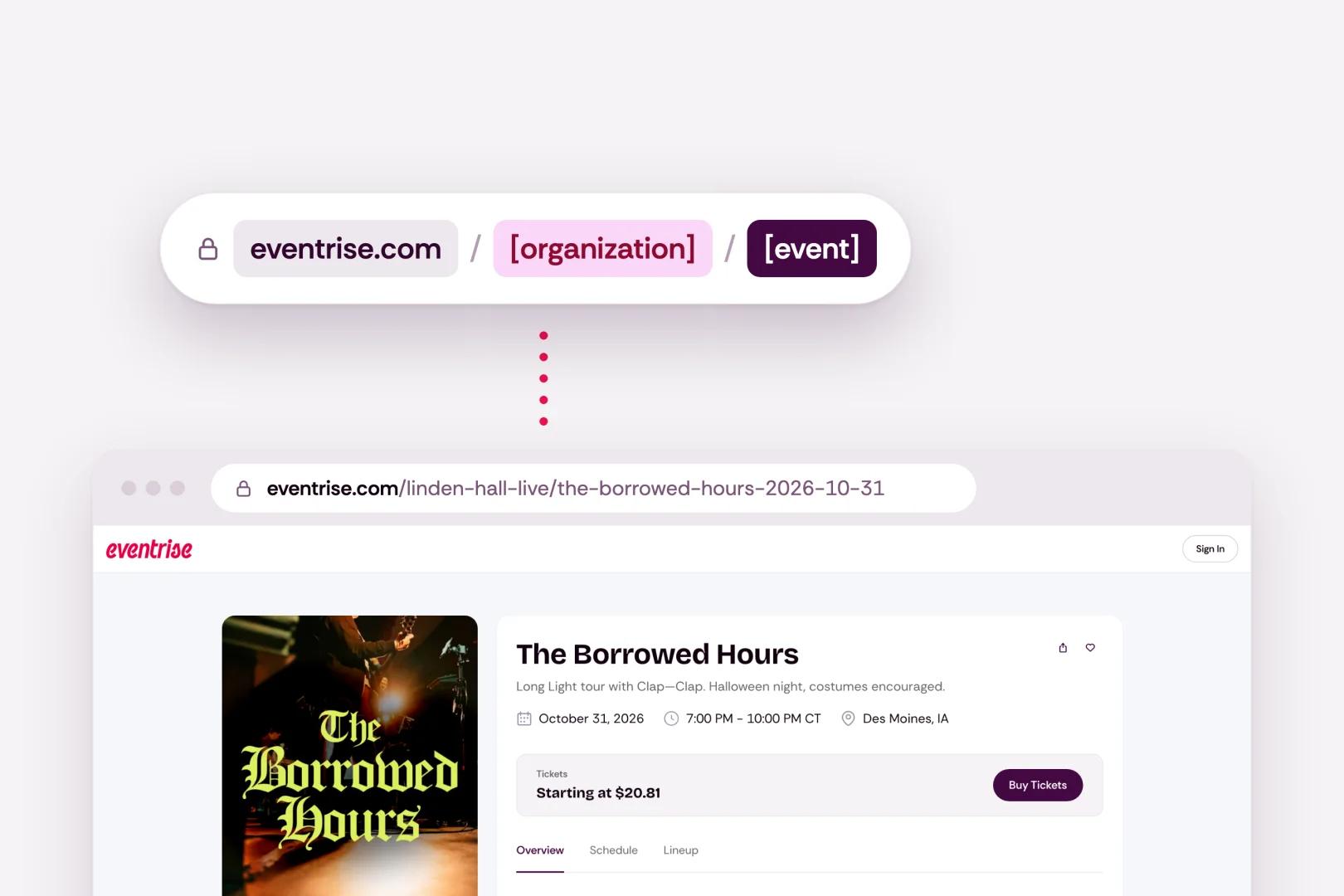
Every event page now lives on eventrise.com
Checkout that finishes orders even when the confirmation gets lost
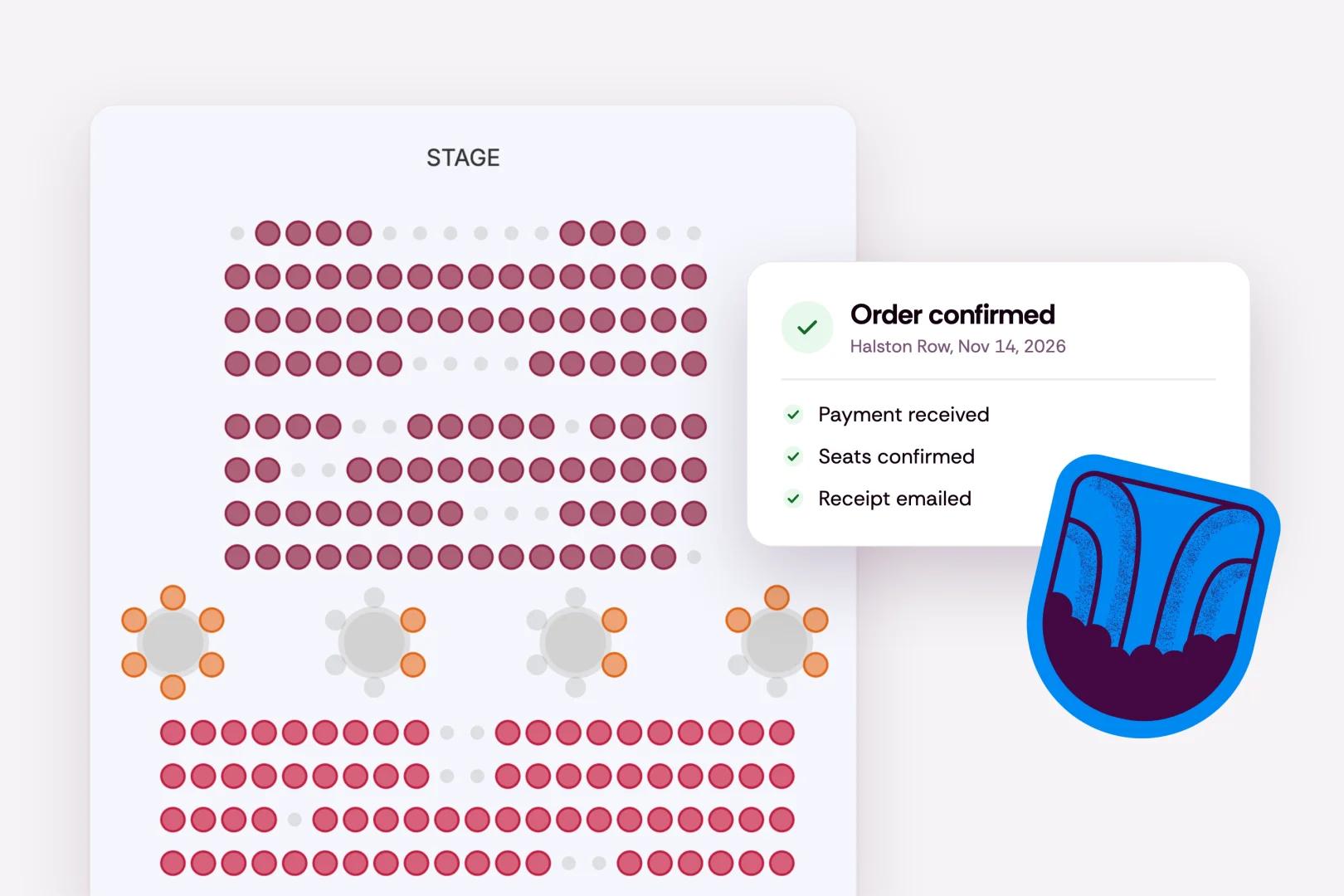
Steadier reserved-seat checkout
WordPress plugin 1.4.0, with the new links and campaign tracking built in
12 new tools for the Eventrise MCP server
Faster event pages
The usual round of fixes and small improvements
More ways to pay, once you turn them on
Your attendees can now pay with Apple Pay, Google Pay, Amazon Pay or Link (Stripe's saved-details checkout), or spread the cost with Klarna, Affirm or Afterpay.
In some cases, attendees like to split bigger purchases, such as an expensive conference pass or tickets for an entire group, into installments. The attendee pays Klarna, Affirm or Afterpay over time. You're paid for the full order.
They're all off until you switch them on, which you can do in Settings > Payments. Checkout only shows a method once Stripe has approved it for your account, and only when it works in your currency, so nobody gets offered an option that won't go through.
One honest note. Apple Pay, Google Pay, Amazon Pay and Link cost the same to process as a card, but Klarna (5.99% + $0.30), Affirm and Afterpay (6% + $0.30) cost more. Like every other fee, the attendee will pay the higher fee at checkout, unless you've set your event to absorb fees yourself.
Everything else about pricing is unchanged. Eventrise charges a 5% platform fee plus Stripe processing at cost (2.9% + $0.30). Fees are added at checkout by default, so you keep 100% of the ticket price. Reserved seating adds $1 per seated ticket, shown to the buyer at checkout. See pricing.
The payment form itself got a refresh too. It's one clean look on checkout and on invoice pay pages, and every way to pay sits on its own row, Apple Pay and Google Pay included.
Invoices, for the money that doesn't come through checkout
Not every sale fits on a ticket page. A sponsor wants a bill with their company's address on it. A school is booking forty seats and paying through its accounts office. A brand wants the back room for a night.
Invoices are now open to every organizer. They live inside each event, under Finance > Invoices. Add a billing address, write a note in the Message from Organizer field, and send it. Your payer gets an email with a link to view and pay online, using any payment method you accept, including straight from their bank account (ACH). Every payment is recorded in Finance, next to the rest of the event's money, and lands in your Stripe account accordingly.
Use them for whatever you need. Sponsors, vendors, exhibitors, group bookings, room hires. If money is changing hands for your event, it now has a home inside that event.
Processing fees are added when the invoice is paid, and they depend on the method your payer picks. You decide whether the payer covers them or they come out of your payout.
The editor, the preview, the pay page and the emails were all rebuilt.
One home for every event
Your event pages used to live on app.eventrise.com. Now they live on eventrise.com, next to everything else.
Event pages live at eventrise.com/your-organization/your-event. Creative South's 2027 page, for example, is at eventrise.com/creative-south/creative-south-2027. It's shorter, it's easier to say out loud, and your name is right there in it.
Nothing you've already shared breaks. Every old app.eventrise.com link forwards to the same page at the new address. When you get a minute, swap the new links into your bio, your website and your next newsletter.
Checkout that holds up
Most of this release you'll never see, which is the point.
Sometimes a payment goes through but the confirmation gets lost on the way back. A dropped signal, a closed tab, a phone that died at 2%. Checkout can now pick that order back up and finish it, and it's built so an attendee is never charged twice for the same tickets. Refunds and 3D Secure checks (the extra step some banks ask for) are tracked against Stripe now too, so Eventrise and Stripe agree on what happened.
Reserved seating got the same care. Every seat booking is recorded and retried until it settles, including table and section bookings. On a busy on-sale, that's the difference between a sold seat and an awkward email.
Your events on your website
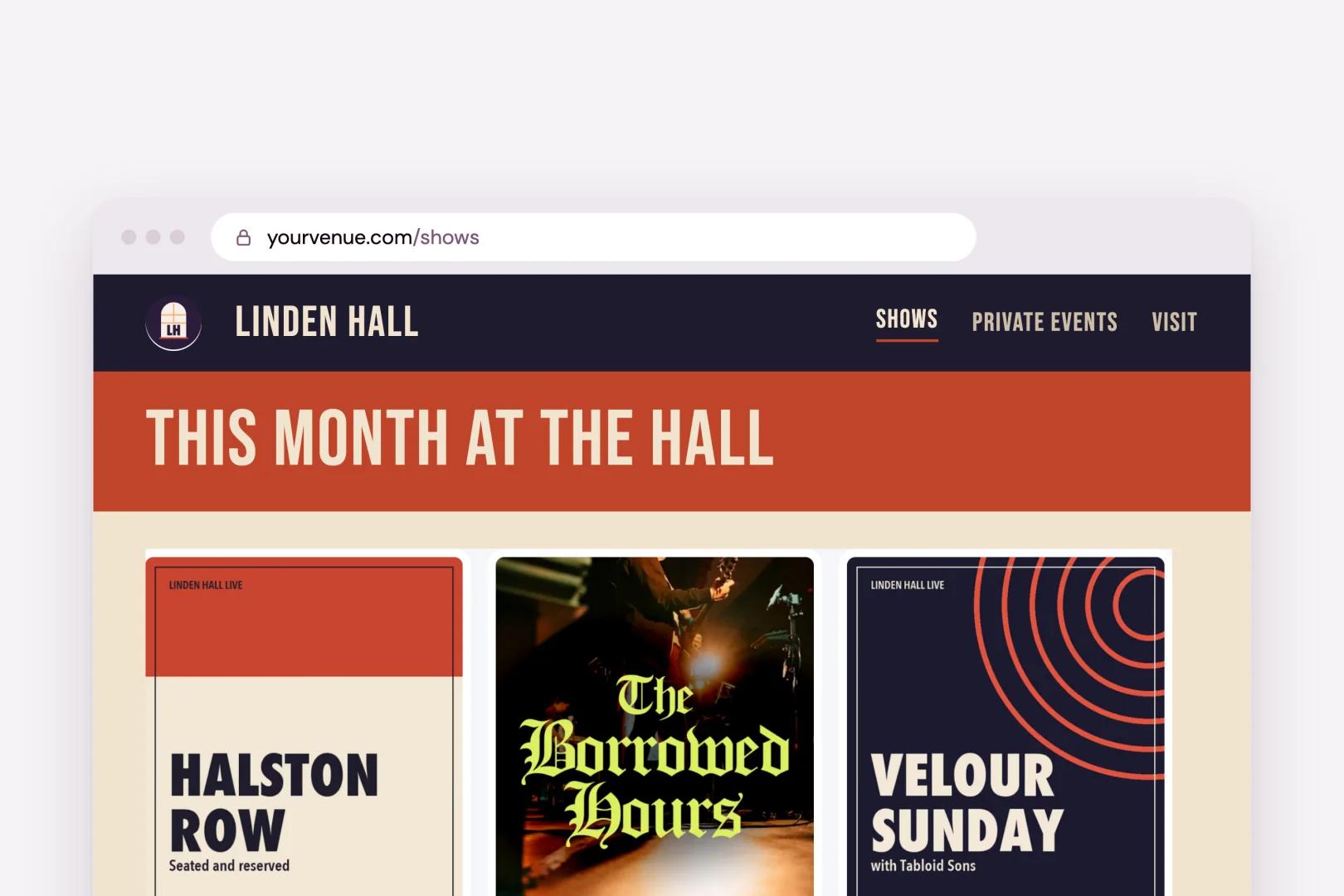
The WordPress plugin and the Framer plugin are both updated, and their links now point at the new event pages. The WordPress plugin's embedded checkout also remembers the campaign a visitor arrived with, so when someone clicks through from your newsletter and buys on your site, the newsletter gets the credit.
For the builders
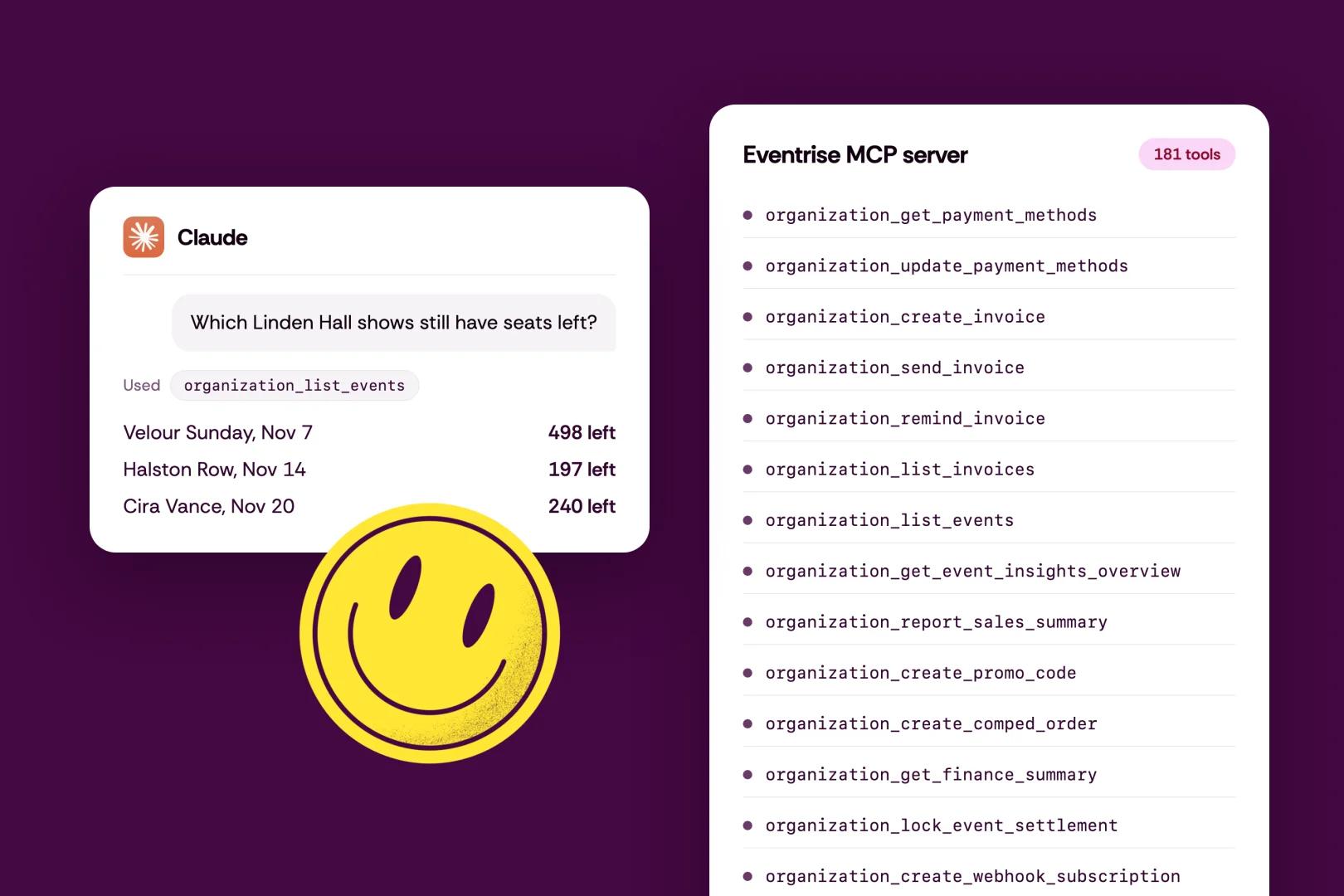
The Eventrise MCP server picked up 12 new tools, which brings it to 181! The new ones cover payment methods and invoices, with matching API scopes. If you run parts of your events through an AI assistant or your own scripts, the new features are there too.
A few more things
Event pages are lighter and load faster, which you'll notice most on a phone.
Organization names like Google, Pricing, or anything with Eventrise in it are now reserved, so nobody can set up shop pretending to be us.
Plus the usual round of fixes and small improvements.
Behind every ticket is a person who almost didn't buy it. This release is for them, so more of the people who want to be in the room end up in it.